Start with audio, not video
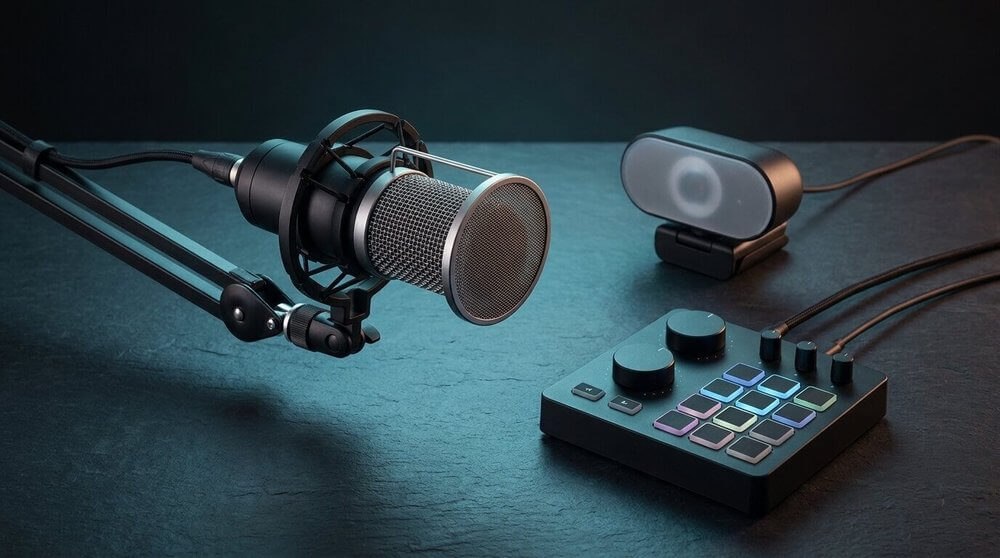
Viewers tolerate rough video far more than they tolerate rough audio. A laptop's built-in microphone picks up room echo, keyboard noise, and fan noise all at once. A basic USB condenser microphone, even an entry-level one, is usually the single upgrade that makes a stream sound noticeably more professional, and it's useful for voice calls and recording outside of streaming too.
Webcam upgrades matter most in low light
Built-in laptop cameras are usually fine in bright, even lighting and struggle everywhere else. Before buying a dedicated webcam, try improving the lighting in front of you with a lamp or a window; it often closes most of the gap. A dedicated webcam helps most with resolution, frame rate, and low-light performance beyond what a basic light source can fix.
A mixer or interface is a later purchase, not a first one
Compact mixers and audio interfaces are useful once you're juggling multiple audio sources: a microphone, game audio, chat audio, and possibly a phone or second person. If you're only running a microphone and your PC's built-in audio, a mixer adds control you may not need yet. It becomes more valuable once you want independent volume control or instant mute over separate channels.
Software costs nothing to start with
Broadcasting software is free on every major platform, and the biggest early wins, scene layout, overlay placement, audio levels, come from time spent in software settings rather than from hardware. It's reasonable to spend a few sessions tuning software before deciding what hardware gap is actually limiting the stream.